
How to Use ChatGPT effectively – 3 Prompt and 5 Examples
Knowing how to use ChatGPT effectively comes down to one thing: the prompt. Same tool, completely different results depending on how you ask. If ChatGPT felt underwhelming, try changing how you ask.
Table
GPT-5.4: How Far Has It Come
In March 2026, GPT-5.4 launched and pushed ChatGPT to a new level.
| Feature | Description |
| Chat | Maintains context across conversations |
| Image Generation | Built-in DALL-E. Just say “draw it” |
| File Analysis | Upload PDFs, spreadsheets, or images for analysis |
| Web Search | Real-time search before answering |
| Coding | Writes, debugs, and explains code |
| Computer Use | Directly controls your computer (GPT-5.4 new feature) |
GPT-5.4 reduced hallucinations by 33% compared to previous models. Spreadsheet accuracy jumped from 68.4% to 87.3%. Clear improvement by the numbers.
To learn how to use ChatGPT effectively, start with prompting.
How to Use ChatGPT Effectively- 3 Prompt Formulas That Work
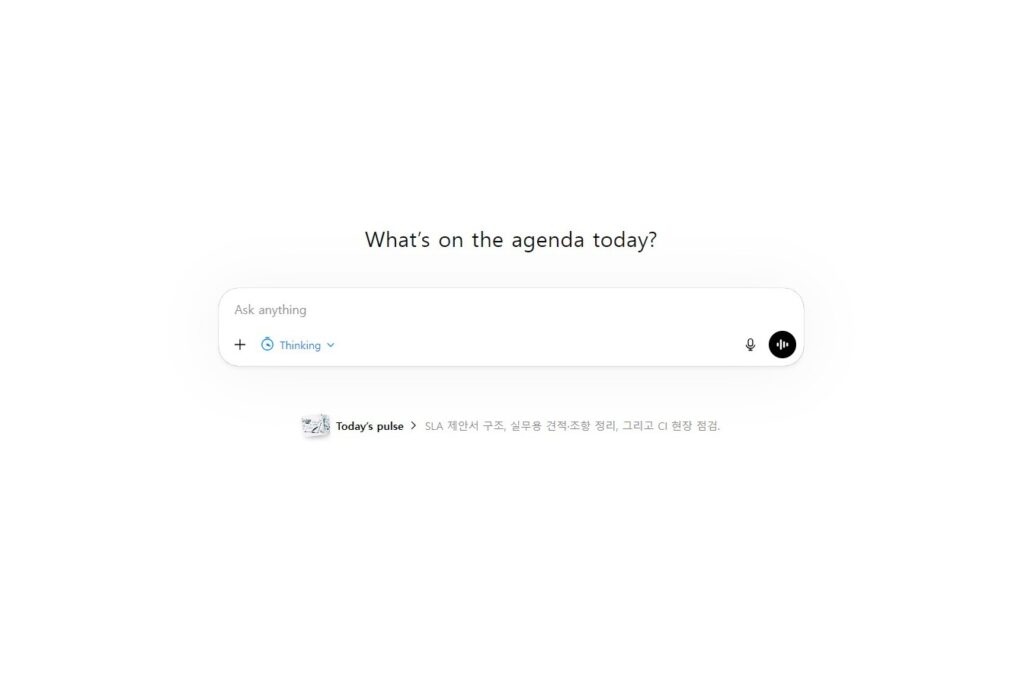
This is what most people searching “ChatGPT guide” want to know. How to ask better questions.
Formula 1. Assign a Persona
Start with “You are a…” and the response shifts perspective.
X: “Create a marketing strategy”
O: “You are a performance marketer with 10 years of experience. Create a 3-month marketing strategy for an online store with a monthly ad budget of $3,000.”
Assigning a role makes ChatGPT respond from that expert’s perspective. Same question, completely different output.
Formula 2. Set Conditions
Define the format, length, and tone upfront.
X: “Write a cover letter”
O: “Write a cover letter for a marketing position at an IT startup.
– Around 300 words
– Based on real experience
– Professional but not stiff”
The more specific the conditions, the fewer revisions needed.
Formula 3. Refine Through Follow-ups
No prompt produces a perfect result on the first try. Iterating is the core of how to use ChatGPT effectively.
“Make it shorter”
“The second paragraph sounds too stiff. Make it more natural”
“Add one more example”
The more you iterate, the sharper the output gets. Don’t give up after the first response.
How to Use ChatGPT Effectively – 5 Examples
Here’s what the prompt formulas look like in practice.
Writing Emails
“You are a business communication specialist.
Write an apology email to a client about a delivery delay.
– Polite but no excuses
– Include alternatives
– Around 150 words”
Drafting Reports
“You are a marketer who excels at data analysis. Draft a monthly sales report based on the data below.
– Structure: key metrics summary -> month-over-month analysis -> next month’s recommendations
– Include a table”
[Attach spreadsheet]
Writing Proposals
“Write a launch proposal for a new service.
– Structure: background -> goals -> target audience -> strategy -> timeline
– 3-5 lines per section
– For presenting to management”
Translation + Tone Adjustment
“Translate the following Korean into English.
– Business email tone
– Natural, not literal”
Writing Code
“Write Python code that reads an Excel file and extracts the top 10 products by revenue.
– Use pandas
– Add comments”
Free vs Paid: Which Plan Fits
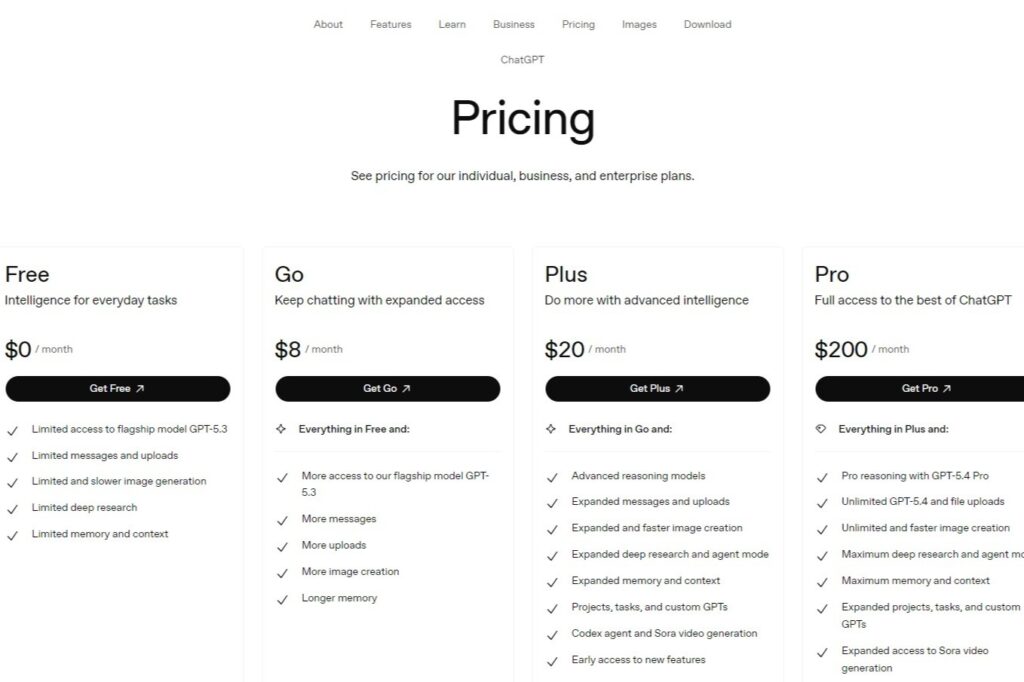
| Plan | Price | GPT-5.4 | Image Generation | File Analysis |
| Free | $0/mo | Limited | Limited | Limited |
| Go | $8/mo | Generous | Available | Available |
| Plus | $20/mo | Plenty | DALL-E + Sora | Advanced |
| Pro | $200/mo | Unlimited | Unlimited | Unlimited |
For occasional use, the free plan is enough. If you want to learn how to use ChatGPT effectively for daily work, Plus offers the best value. Pro is overkill unless you’re a developer or heavy user.
How to Set Up Project Instructions – Stop Repeating Yourself
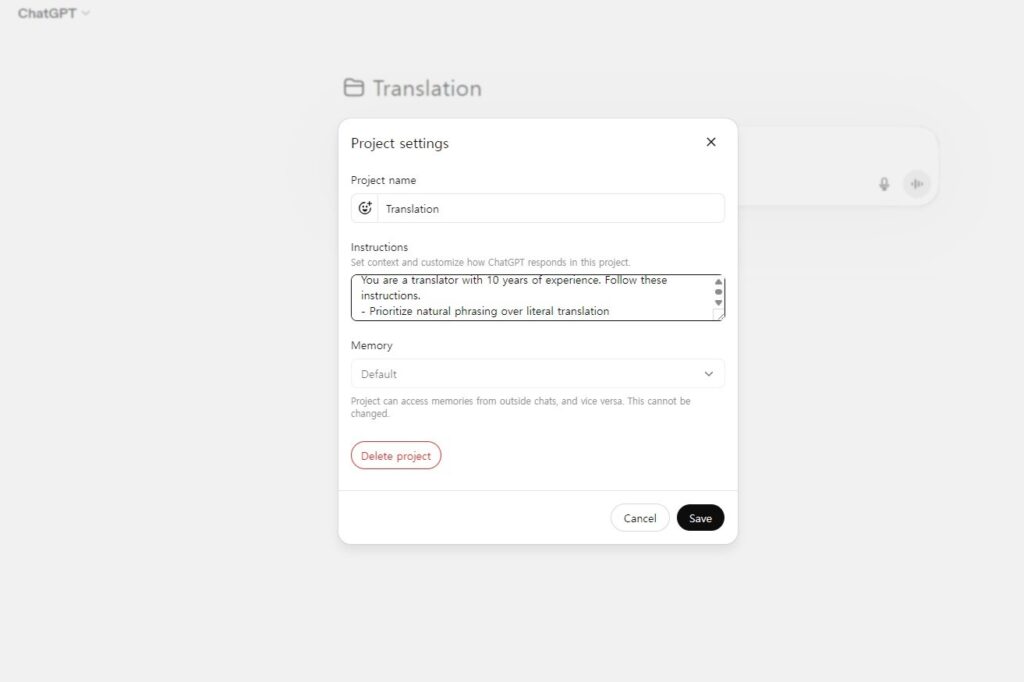
Typing prompt formulas every time gets old. ChatGPT has a “Projects” feature. Set instructions once, and they apply to every conversation within that project.
For example, create a translation project and add “natural tone, no literal translation” to the instructions. No need to type it again.
How to Set It Up
- Click “Projects” in the left sidebar
- Create a new project
- Enter a project name (e.g., Translation, Blog, Reports)
- Write your rules in the “Instructions” field
- Save
Instruction Examples
For translation:
You are a translator with 10 years of experience. Follow these instructions.
– Prioritize natural phrasing over literal translation
– Use conversational tone
– Include original terms in parentheses for technical jargon (e.g., SEO (Search Engine Optimization))
For blogging:
– Respond in English
– Around 1,500 words, conversational
– Use H2/H3 subheadings
– Naturally include SEO keywords
For coding:
– Minimize explanations, focus on code
– For errors, show cause + fix only
– Stack: Python, React
Keep instructions short and specific. “Professional but friendly” is vague. “Factual tone, lead with the conclusion, no filler” is effective.
Open a new chat inside the project, and the instructions apply automatically. This is one of the best ways to use ChatGPT effectivelywithout repeating yourself.
Going Further
Two more features worth knowing about.
GPTs
Pre-built custom ChatGPTs made by other users. Thousands exist – “Paper Summarizer GPT”, “Excel Formula GPT”, and more. Find them via “Explore GPTs” on the home screen.
Memory
ChatGPT remembers information from past conversations. Say “remember this” and it saves. Tell it “I’m a marketer” once, and it factors that into future responses.
Reference: ChatGPT Official Site, OpenAI Pricing